
Direct answer
If your Google Ad Grant is active, your campaigns say Eligible, and you are still seeing zero or very few impressions, do not assume the account is broken.
This is a common Ad Grants problem, especially in newer accounts. Grant campaigns can take longer to build momentum than ordinary paid Google Ads, and several different issues can produce the same symptom: no impressions, no clicks, and no spend.
The best way to troubleshoot it is to work through the account in a fixed order instead of changing five things at once.
The short answer
If your Google Ad Grant is getting zero impressions, check these first:
- Confirm the account, campaigns, ads, and date range are actually active.
- Use a conversion-based bid strategy, usually Maximize Conversions for a new Search campaign.
- Confirm meaningful conversion tracking is set up correctly.
- Avoid splitting limited conversion data across too many campaigns.
- Check whether your keywords have enough real search demand.
- Review policy status, Quality Score, ad relevance, and landing-page experience.
- Make sure geography, audiences, demographics, schedules, and bid adjustments are not too restrictive.
- Test AI Max or final URL expansion selectively when appropriate.
- Test Performance Max if Search is struggling to find volume.
- Give new or recently changed campaigns enough time to learn.
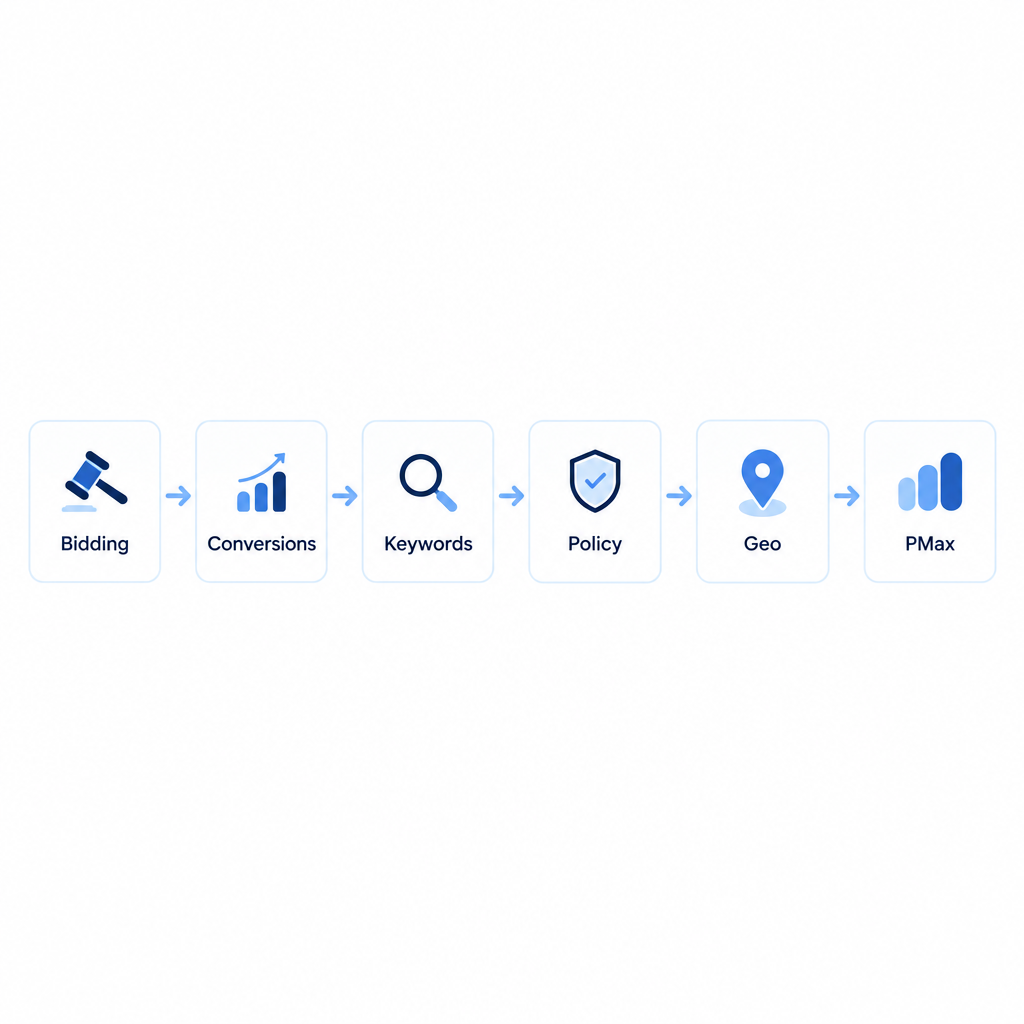
Quick decision point: If this is a brand-new or recently rebuilt account, focus on setup quality and give it time. If a campaign performed for months and suddenly flatlined, jump to the recovery section near the end.
Why can an eligible Google Ad Grant campaign get zero impressions?
An Ad Grants campaign can show as Eligible without winning enough auctions to generate meaningful traffic.
Google's own Ad Grants guidance says low spend can be caused by keyword volume, restrictive bidding, ad quality, geographic targeting, and conversion tracking. Google also maintains an Ad Grants quality filter, so weak quality can reduce auction eligibility even when a campaign appears technically eligible.
The real question is not only “Is the campaign eligible?” It is “Is the campaign giving Google enough relevant, high-quality opportunities to enter and win auctions?”
1. Check the account, campaign status, and date range
Before changing bidding or keywords, make sure the Grant is active, the campaign and ad groups are enabled, ads are approved, the reporting date includes the period since launch, and you are viewing the correct Google Ads Customer ID.
If Google Ads is unexpectedly asking for billing information, first verify that you are in the real Grant account. See Google Ad Grant Approved but Asking for a Payment Method?.
New Grant campaigns can also ramp more slowly than normal paid campaigns. A few quiet days do not automatically mean the setup is broken.
2. Use the right bidding strategy
For a new Search campaign, I would generally start with Maximize Conversions unless the account has a specific reason to use another conversion-based strategy.
Jason King’s current recommendation is to avoid manual bidding, Maximize Clicks, and Target Impression Share as the default fix for a low-impression Grant campaign. Those approaches can leave the account constrained by the Ad Grants bid ceiling, while Google's conversion-based Smart Bidding strategies can bid above that ceiling when appropriate.
For the policy nuance around Maximize Clicks, see Can You Use Maximize Clicks in Google Ad Grants?.
Does Maximize Conversions need conversion history before ads can show?
No. Jason King has repeatedly clarified that previous conversion history is not required simply for Maximize Conversions to enter auctions and serve ads.
Lack of history can make optimization harder, but it does not automatically explain zero impressions.
3. Set up meaningful conversion tracking
Google Ad Grants requires active and accurate conversion tracking for applicable accounts.
Useful conversion actions can include completed donations, volunteer signups, membership registrations, event registrations, information requests, phone calls, email signups, and other mission-related actions.
For troubleshooting, work backward from the mission:
- What outcome does the nonprofit actually want?
- Does the website have a clear call to action for it?
- Does GA4 or Google Ads track that action correctly?
- Is that action included in the campaign's conversion goals?
- Is the bidding strategy optimizing toward it?
Do not use ordinary homepage visits as the primary conversion just to manufacture data.
4. Do not spread limited conversion data across too many campaigns
Smart Bidding learns at the campaign level. If a small nonprofit creates many campaigns, each one may receive too little conversion data to learn effectively.
Keep the number of campaigns as low as practical unless there is a real reason to separate them, such as different geographies, languages, audiences, or goals.
Simple rule: If two campaigns are trying to accomplish the same thing for the same audience, ask whether they really need to be separate.
5. Make sure campaign budgets are not another bottleneck
The Ad Grant has an account-level spending ceiling, so individual campaign budgets do not need to be artificially tiny just because multiple campaigns exist.
Jason recommends setting campaign budgets high enough that Google has room to find available traffic. Google's own guidance also tells nonprofits to review budget, keyword volume, bid strategy, ad quality, geography, and conversion tracking when the Grant is not spending.
The principle is simple: do not accidentally throttle an already under-spending account with unnecessarily restrictive campaign budgets.
6. Stop changing major settings every few days
New campaigns go through a learning period, and Smart Bidding continues adapting after the visible learning label disappears.
If you repeatedly change bidding strategy, conversion goals, budgets, targeting, and campaign structure, Google never gets a stable period from which to learn.
Fix obvious errors, then give major changes enough time to produce evidence before changing them again.
7. Check whether the keywords have enough real search demand
A keyword can be Eligible and still generate almost no traffic.
Ask:
- Would a real person actually type this query?
- Is there enough volume in the geography I am targeting?
- Is the keyword too specific?
- Am I relying too heavily on exact and phrase match?
- Does the intent match the landing page?
A local, niche nonprofit can be especially difficult because small geography + niche topic + competition may leave very little available search demand.
Do not solve that by targeting people the organization cannot actually serve. Wider but irrelevant targeting can hurt conversion performance and make Smart Bidding less willing to spend.
8. Account for competition and impression share
Competition matters even in Ad Grants.
Jason’s practitioner guidance is that many Ad Grants accounts operate with low impression share because they are competing for limited Grant auction opportunities while paid advertisers also occupy valuable search-result inventory.
I would not treat any one impression-share percentage as a universal benchmark. The useful point is that being eligible does not mean you will appear every time the keyword is searched.
When competition is high, focus on Maximize Conversions, stronger Quality Scores, better landing pages, and relevant searches that are less crowded.
9. Check policy status beyond just “Disapproved”
Review statuses such as Eligible, Eligible (Limited), Low search volume, Policy limited, Under review, and Disapproved.
This matters especially for nonprofits working in sensitive areas such as religion, housing, addiction, health, personal hardship, or other policy-sensitive categories.
Use Google Ads Policy Manager to see what is affecting delivery. A limited ad can make the account look healthy while available impressions are still heavily reduced.
10. Review Quality Score, ad relevance, and landing-page experience
Google's official Ad Grants compliance guidance requires keywords with Quality Scores of 1 or 2 to be paused or removed. Even scores above that minimum can help explain weak delivery.
Add these columns in the Search keywords report:
- Quality Score
- Expected CTR
- Ad relevance
- Landing page experience
Jason recommends looking closely at keywords scoring 3 or 4 as well, then improving the ad or landing page instead of assuming they are fine because they technically pass policy.
11. Improve the landing page if relevance or experience is weak
A slow, vague, or mismatched landing page can suppress performance.
Check whether the page is fast enough on mobile, whether the headline matches the keyword and ad, whether the next step is obvious, whether that step supports a meaningful conversion, and whether the page actually answers the searcher's question.
A volunteer search should normally lead to a volunteer page. A donation-intent search should lead to a relevant donation or impact page. A program-information search should land on a page that clearly explains that program.
Sending every search to the homepage weakens relevance.
12. Check settings that may quietly restrict delivery
This is especially important for established campaigns that used to perform.
Review:
- audience targeting versus observation
- age or gender exclusions
- location settings
- language settings
- ad schedule
- device or other bid adjustments
- any adjustment accidentally set to -100%
Old settings can remain in an account long after someone forgot why they were added.
13. Test AI Max and final URL expansion selectively
AI Max can widen the queries your Search campaign is eligible to match and help uncover additional demand when a tightly controlled campaign has very little reach.
But broader matching is not automatically better. Review the Search terms report and filter for AI Max matches so you can see whether the expansion is relevant.
Final URL expansion can also help when your website has many useful program, event, or educational pages. I would keep it off when the campaign should send people to one specific landing page for one specific action.
For more detail, see AI Max in Google Ad Grants: What Nonprofits Should Monitor.
14. Test Performance Max
Performance Max is now available in Google Ad Grants and is one of Jason King’s strongest recommendations for accounts that struggle to spend.
Google's current setup guidance allows nonprofits to create either Performance Max or Search campaigns. PMax uses your conversion goals, assets, landing pages, audience signals, and search themes to find relevant demand.
Jason reports that PMax often spends more easily than Search in Ad Grants accounts. He also notes that CPC can be higher and CTR or conversion rate can be lower, so spend alone is not the goal.
The real question is whether PMax generates meaningful nonprofit actions that Search was missing.
Best test for many nonprofits: Search + Performance Max, not Search versus Performance Max.
If PMax also has no impressions, check conversion goals, audience signals, search themes, geography, assets, landing pages, and account status.
15. Give a new Grant account more time
Ad Grants often ramp more slowly than ordinary paid Google Ads.
If the account has only been live a few days and the major checks above look correct, avoid rebuilding it every 24 hours. You need enough stability to tell whether a change actually helped.
New account vs. mature campaign: use a different troubleshooting mindset
| Situation | What to prioritize first |
|---|---|
| New or recently rebuilt account | Setup, bidding, conversion tracking, search demand, policy, quality, and time to learn |
| Established campaign that suddenly lost impressions | Competition, demand changes, Quality Score, landing-page changes, policy changes, conversion goals, and bidding constraints |
This distinction matters because a recovery tactic that makes sense for a mature campaign may be unnecessary or harmful in a brand-new account.
What if a longstanding campaign suddenly flatlines?
A campaign that worked for months and then loses most of its impressions may be reacting to new competition, changes in search demand, Quality Score deterioration, landing-page changes, tighter policy enforcement, conversion-goal changes, or bidding constraints.
Jason suggests one recovery test for a mature Maximize Conversions campaign: switch to Target CPA with a target meaningfully higher than the campaign's historical average CPA, then watch whether bidding and traffic recover.
That is practitioner guidance, not a Google requirement, and it should not be done blindly.
He also notes that temporarily switching to Maximize Clicks and then switching back rarely works in his experience.
A practical zero-impression troubleshooting order
Use this order so you do not create new problems while fixing the original one:
| Check | What you are looking for |
|---|---|
| Account and date range | Is the Grant active, accessible, and actually live? |
| Campaign status | Are campaigns, ad groups, and ads enabled? |
| Bidding | Is Search using an appropriate conversion-based strategy? |
| Conversion tracking | Are meaningful actions configured correctly? |
| Campaign count | Is conversion data fragmented across too many campaigns? |
| Budget | Are campaign budgets unnecessarily restrictive? |
| Search demand | Do people actually search these terms in this geography? |
| Policy | Are ads or keywords Limited, Disapproved, or restricted? |
| Quality Score | Are relevance or landing-page signals weak? |
| Landing page | Does the page match the search and conversion goal? |
| Hidden restrictions | Are audiences, schedules, demographics, or bid adjustments limiting reach? |
| AI Max | Could broader relevant matching uncover demand? |
| PMax | Have you tested a conversion-focused PMax campaign? |
| Time | Has the account had enough stable time to learn? |
| Flatlined mature campaign | Is a carefully tested higher Target CPA worth trying? |
Change one major variable at a time where practical. Otherwise, if impressions return, you will not know what actually fixed the account.
What I would not do first
If an Ad Grant account has zero impressions, I would not immediately:
- switch everything to Maximize Clicks
- add hundreds of unrelated keywords
- target the entire country without a mission reason
- create ten campaigns for a small account
- count pageviews as conversions
- rebuild the account every few days
- enter a credit card because an automated advisor says billing is missing
- assume zero conversion history prevents Maximize Conversions from showing ads
Those changes can create more noise without addressing the real limitation.
When should you ask for help?
If the account has been active for several weeks and you have checked bidding, conversions, campaign structure, demand, policy status, quality, targeting, landing pages, AI Max, and PMax, it may be time to get another set of eyes on the account.
At that point I would want to see the account and campaign status, bid strategy, conversion goals, campaign count and budgets, representative keywords, search volume, Quality Scores, policy status, geography, landing pages, PMax setup, and any suspension or reinstatement history.
That is much more useful than simply asking, “Why won't Google spend the Grant?”
Methodology
I reviewed Google's current Ad Grants documentation for budgets and bidding, conversion tracking, account compliance, ad quality, and optimization guidance. I also reviewed 2026 Google for Nonprofits community threads about eligible accounts receiving zero impressions.
I then cross-checked those sources against Jason King's October 12, 2026 guide, How to fix low or no impressions in a Google Ad Grant, along with his current Google for Nonprofits community answers.
Google's documentation is the authority for program rules. Jason King's recommendations are practitioner guidance based on managing and auditing Ad Grants accounts. Where this article discusses tactics such as campaign consolidation, higher campaign budgets, Target CPA recovery tests, AI Max, and PMax spending behavior, those are presented as practical recommendations rather than Google policy.
If you want help diagnosing an account that is active but not serving, I can review the setup through my nonprofit Google Ad Grant services.