Direct answer
A Minneapolis service business landing page should explain what you do, where you work, why someone should trust you, and how to take the next step. It also needs a usable mobile experience and tracking that distinguishes an inquiry from a qualified opportunity.
I start with the connection between the ad and the page. Someone searching for a specific service should land on a page that answers that need, rather than having to find the offer inside a general company website.
The purpose is to help the right prospect make an informed decision. More form submissions are only useful when they come from people you can actually serve.
The landing-page checklist at a glance
| Page element | What it should answer |
|---|---|
| Clear headline | Is this the service I need? |
| Offer and primary action | What can I request or book? |
| Accurate service area | Does this business serve my location? |
| Relevant proof | Why should I trust this provider? |
| Service details | What is included, and is it suitable for me? |
| Simple contact path | How do I call, inquire, or schedule? |
| Process and FAQs | What happens next? |
| Mobile usability | Can I read and use this on my phone? |
| Conversion and lead-quality tracking | Did the page produce useful opportunities? |
This is my practical review checklist, not a Google-mandated template or a guarantee of results.
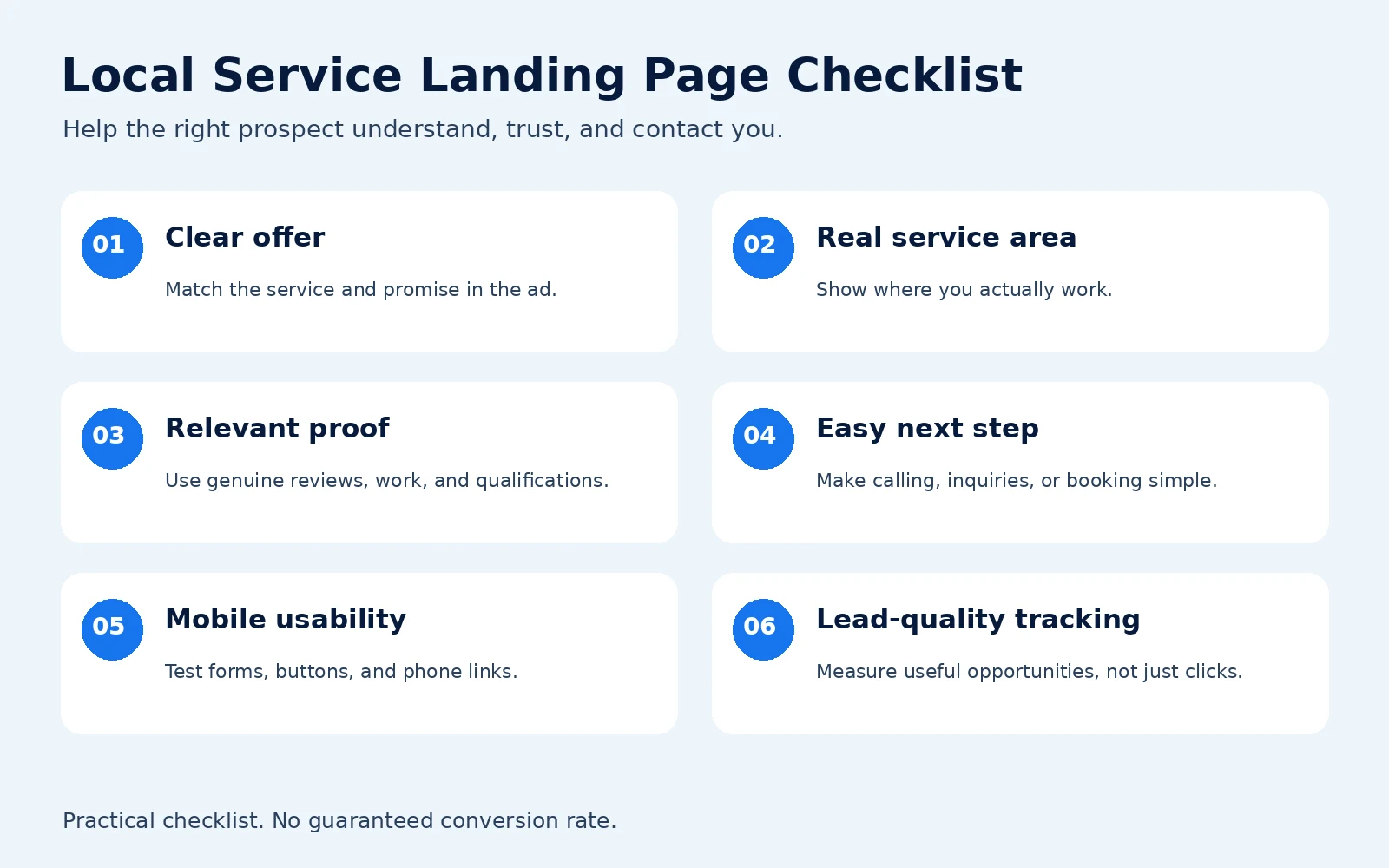
1. Match the headline and offer to the ad
Your headline should identify the actual service. The supporting copy should explain who it helps and the next step.
For example, an ad for furnace repair should lead to a furnace-repair page, with an appropriate inquiry or calling option. A headline about every home service the business provides makes visitors do more work.
Google describes landing-page experience in terms of relevance, usefulness, navigation, and whether the destination meets expectations set by the ad. That supports the basic principle: carry the ad's promise onto the page.
Do not add “same-day,” “free,” or “24/7” because those phrases sound persuasive. Use them only when the business can deliver the stated offer and explain any conditions.
For the wider campaign context, see my Google Ads guide for Minneapolis businesses.
2. Make the service area clear
“Serving the Twin Cities” may leave someone wondering whether you travel to their home or business. Name the main areas you actually cover and provide an easy way to confirm eligibility.
A business might serve Minneapolis and St. Paul but have different availability in Maple Grove, Eagan, or Woodbury. Explain genuine boundaries, travel charges, or location restrictions when they affect the decision.
Depending on the service, a city or ZIP-code field can help qualify inquiries. Avoid requiring a full address before you need it.
Local relevance comes from useful details, such as real project photos or an explanation of the area you serve. A skyline image alone does not establish that you operate locally. Do not invent a Minneapolis office.
You also do not need a near-identical page for every suburb. Google's spam policies identify doorway abuse, including similar regional pages that funnel visitors to the same destination. Create separate pages when the service, offer, or useful information genuinely differs.
For the broader local-search strategy, see my guide to local SEO and Google Business Profile visibility in the Twin Cities, including how your profile and website should represent the same real business.
3. Put credible proof near the decision
Choose proof that addresses the visitor's concern. For a contractor, that could be permissioned project photos and an accurately attributed customer review. For a professional service, it might be a relevant testimonial or documented qualification.
Useful proof can include:
- Real work examples with enough context to understand them.
- Testimonials used with permission and accurate attribution.
- Current licenses, insurance statements, or credentials that apply to the service.
- A clear business identity and working contact details.
Do not invent review counts, ratings, badges, or results. Do not use stock photos as if they show your team or completed work. If you are new, explain your actual process and qualifications instead of filling the gap with fabricated social proof.
4. Explain the service and what happens next
Give visitors enough information to decide whether contacting you makes sense. That usually means explaining the problem you solve, the main inclusions, meaningful exclusions, and the steps after an inquiry.
You can use a short process:
- Tell us what you need and where you are located.
- We confirm the service fit and discuss scheduling or an estimate.
- You decide whether to move forward.
Adapt that sequence to the real business. Do not promise an instant quote when someone has to inspect the property first. If you publish pricing, explain what the amount covers and which factors can change it.
FAQs should answer objections that could stop a suitable prospect from contacting you, such as service boundaries, appointment availability, estimate procedures, or project minimums. Only publish verified answers.
5. Choose a primary action and make it easy
Use a button label that describes the real next step: “Request an Estimate,” “Schedule a Consultation,” or “Call About Your Repair.”
A primary action can coexist with a phone number. For example, calls may suit an urgent repair while a form suits a nonurgent project. The priority is a clear decision, rather than competing offers for downloads, newsletters, quotes, and unrelated services.
For a form, start with the information you need to respond and assess fit. That might include name, one contact method, service needed, and city or ZIP code. Add qualification questions when their value outweighs the effort required to answer them.
Explain what happens after submission. State response hours or timing only if the team can meet them. Keep privacy information accessible and have any email or text follow-up reviewed for the applicable requirements.
6. Test the whole page on a phone
Check the actual conversion path on a small screen:
- Can you understand the offer without zooming?
- Are buttons and form controls easy to use?
- Does the phone link dial the correct number?
- Can you complete the form and see a confirmation?
- Does the booking tool offer the intended appointments?
- Do banners, chat widgets, or sticky buttons obscure content?
Compress oversized images and review heavy embeds. Google's Core Web Vitals guidance covers loading, responsiveness, and layout stability through LCP, INP, and CLS. Use those signals to investigate usability, rather than treating a performance score as a promise of more leads.
Keep useful trust, contact, and privacy links. There is no universal requirement to remove all navigation from every landing page. I would reduce unnecessary distractions while preserving information people need to evaluate the business.
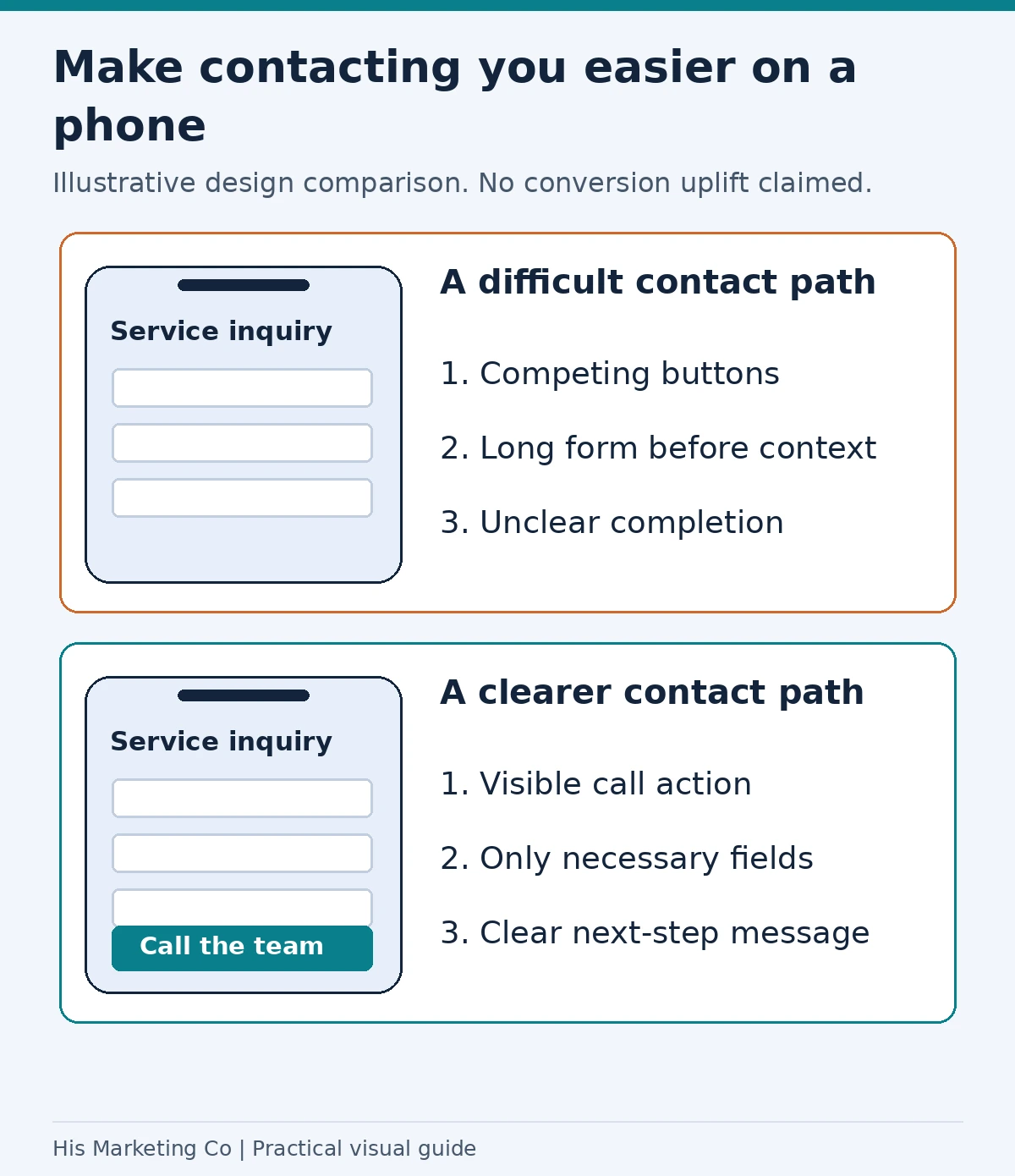
Design example: a visible contact action, necessary form fields and a clear completion message make the inquiry path easier to understand. Test the full path on a real phone.
7. Measure inquiries and qualified leads separately
A button click does not prove that someone called. A form submission does not prove that the lead was suitable.
I want the setup to distinguish completed forms, actual calls where measurable, bookings, and later qualification. A qualified lead might mean the prospect is in the service area, wants the right service, and meets the business's agreed criteria.
Read my guide to tracking calls, forms, and qualified leads for the measurement side. Track successful submissions rather than every form view, and check for duplicate events.
Compare page changes using qualified leads, appointments, and sales when reliable data is available. A higher submission rate can be a poor trade if it brings more spam or unsuitable inquiries. If campaigns are already generating traffic without useful leads, use the clicks-but-no-leads troubleshooting guide to review targeting and measurement alongside the page.
An example layout for a Minneapolis service page
The following is an illustrative structure for a furnace-repair business. It is not a client case study or a claim about a real provider.
| Section | Example content |
|---|---|
| Hero | “Furnace Repair in Minneapolis,” an accurate service description, and a contact button |
| Service area | Actual coverage and a way to confirm the address is eligible |
| Trust | Genuine review, relevant qualification, or permissioned work photo |
| Service details | Problems addressed, scope, and any important limitations |
| Next steps | How the inquiry, assessment, and scheduling process works |
| FAQs | Real answers about estimates, availability, and service boundaries |
| Final contact section | The same primary action and correct contact information |
The structure can also work for other services, but the offer and proof should change with the customer's decision. A scheduled professional consultation needs different information from an urgent home repair.
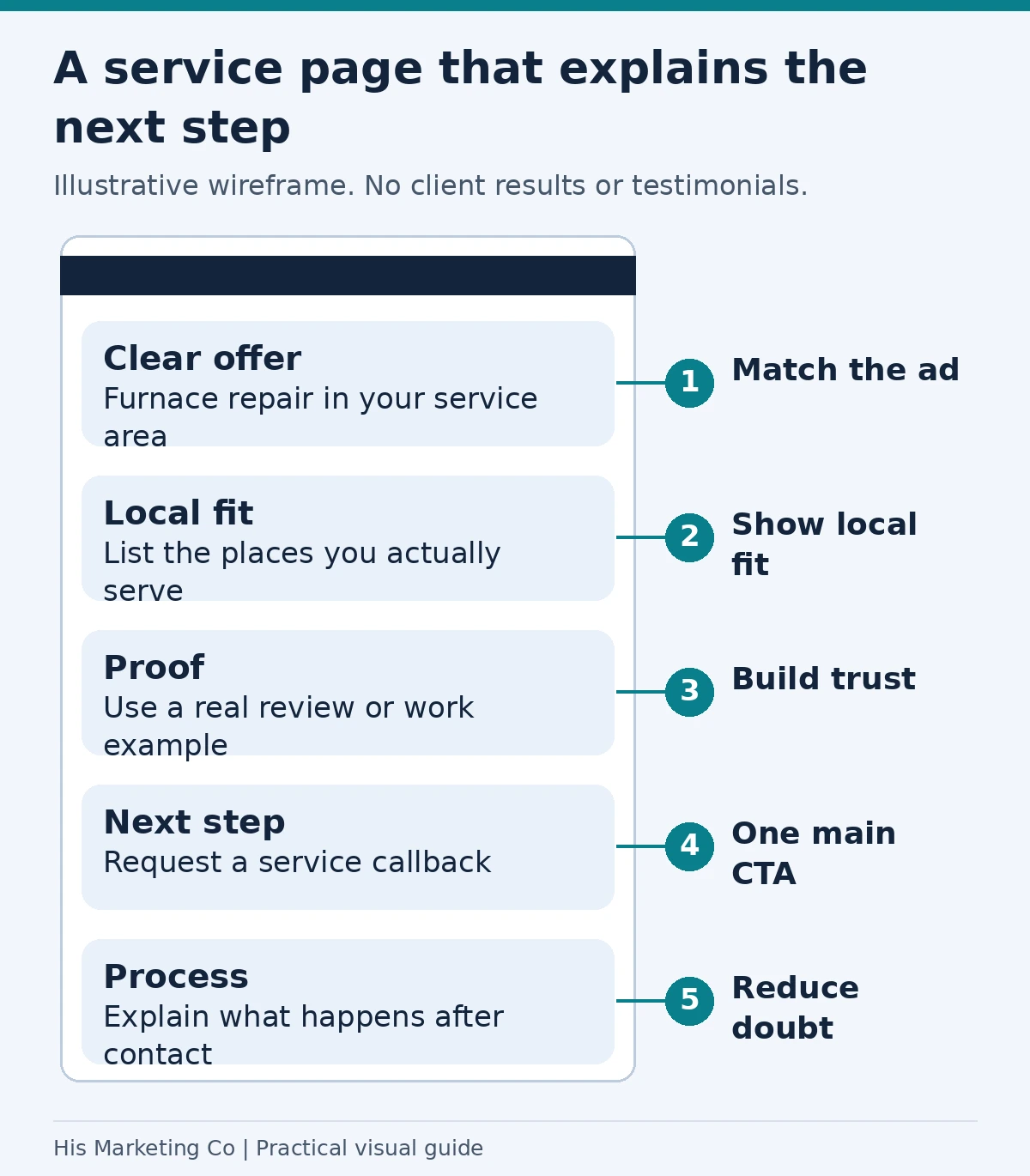
Illustrative layout: match the offer to the ad, state the real service area, place genuine proof near the decision, choose a clear action, and explain what happens after contact.
What I would fix first
First, repair broken forms, incorrect phone links, and misleading offers. Then check whether the ad, service, and location match the page. Next, make the contact path usable and add relevant proof. Finally, use reliable lead-quality data to decide which copy or layout changes to test.
Avoid changing the headline, offer, form, targeting, and bidding strategy together if you want to understand what caused the difference. Low traffic can make short tests inconclusive, and there is no universal winning page length or conversion rate.
If you want help connecting the page with your campaigns and follow-up, explore my landing-page and lead-generation services. For campaign support, see what my Google Ads management includes.
I am based in Minnesota and work with businesses nationwide. Book a free strategy call to discuss your offer, current page, and whether working together makes sense.
Methodology
I reviewed Google's landing-page, Quality Score, Core Web Vitals, and Search spam guidance on October 7, 2026. The checklist and example layout are my practical recommendations, not a measured Minneapolis study. No client results or local performance benchmarks are claimed. Quality Score is a diagnostic tool, not the business outcome to optimize for.